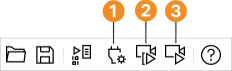
Figure 3.3: Browsing the selected images.
You can specify a selection of image files or also drag and drop a complete directory to load images from. Make sure the radio button Image File(s) is selected in the tab card Source. You can directly enter image names or the name of a directory into the text field. Multiple image names are separated by a semicolon. Usually, it is more convenient to use one of the following buttons:
HDevelop opens a file selection dialog in the current working directory, displaying the image files supported by HALCON. Multiple image files can be selected by holding down the Ctrl key while clicking additional image files. Click Open to confirm the selection. The first selected image is displayed in the active graphics window.
HDevelop opens a directory browser. It is not possible to select multiple directories. Confirm your selection by clicking Open or OK. The first image from the selected directory is displayed in the active graphics window. If the check box Recursive is ticked, all subdirectories of the specified directory are scanned for images as well.
You can single-step through the selected images by clicking the Snap button (see figure 3.3). Each time you click the button, the next image is displayed in the active graphics window. You can also loop through the images by clicking the button Live. This is especially useful for animations. Both functions are also available from the menu Calibration.
Figure 3.3: Browsing the selected images.
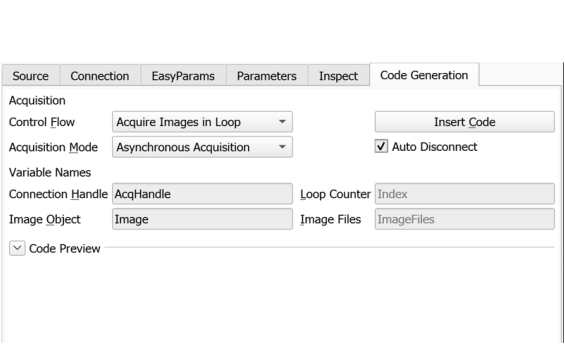
Switch to the tab card Code Generation, and specify a variable name in the text field Image Object. You can later access the image in the program by this name. If multiple images or a directory were selected in the tab card Source, the image acquisition assistant will read the images in a loop. In this case the following additional variable names need to be specified:
Click Code Preview to inspect the code that would be generated from the currently specified parameters.
Click Insert Code to generate the code and insert it at the position of the IC in the current program.
The following piece of code is an example generated from three selected images. It is a self-contained HDevelop program that runs without alteration.
* Image Acquisition 01: Code generated by Image Acquisition 01
ImageFiles := []
ImageFiles[0] := 'W:/images/fin1.png'
ImageFiles[1] := 'W:/images/fin2.png'
ImageFiles[2] := 'W:/images/fin3.png'
for Index := 0 to |ImageFiles| - 1 by 1
    read_image (Image, ImageFiles[Index])
    * Image Acquisition 01: Do something
endfor