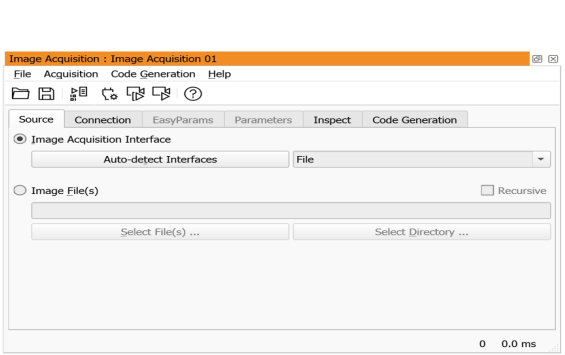
Figure 3.2: Image acquisition assistant.
The image acquisition assistant is a powerful tool to acquire images from files (including AVI files), directories or image acquisition devices supported by HALCON through image acquisition interfaces. To use this assistant, select Assistants ▹ Open New Image Acquisition. The window is displayed in figure 3.2. It features several tab cards that can be stepped through one after another. Ultimately, the assistant generates HDevelop code that can be inserted into the current program. Select the entry Help in the menu of the image acquisition assistant to open its online help.
The tab card Source determines the acquisition method and the image source. In the default setting images are acquired from files. This is described in the following section. Alternatively, images are acquired from an image acquisition device, for example, a camera. This is described in section “Acquiring Images Through Image Acquisition Interfaces”.