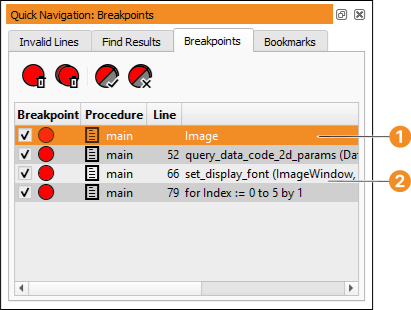
Figure 6.72: Managing breakpoints in the Quick Navigation window.
This tab card lists all variables or program lines marked with a breakpoint (see figure 6.72). Information about the breakpoints is given in the column Context: Breakpoints on variables list the variable name, while line-based breakpoints list the program line (its line number is given in the column Line).
Clicking the entry of a line-based breakpoint focuses the corresponding program line in the active program window. If the selected procedure is already displayed in a different program window tab, the corresponding tab is activated. Otherwise, the current view switches to the selected procedure.
Individual breakpoints can be activated or deactivated by clicking the check boxes.
See section “Breakpoints on Variables” for information about breakpoints on variables and section “Program Window” for line-based breakpoints.
Figure 6.72: Managing breakpoints in the Quick Navigation window.