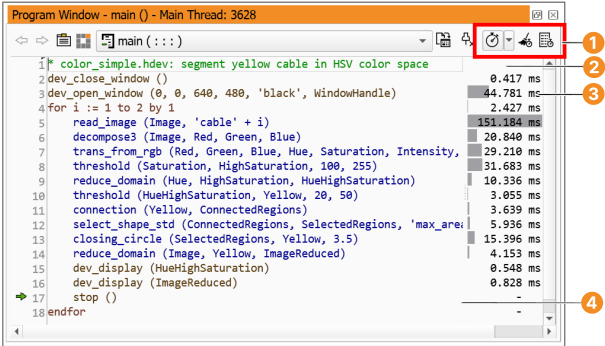
Displays how many times each program line has been executed in total.
This value is accumulative until the profiler is reset.
Total Execution Time
Displays the total processing time of each program line.
This value is accumulative until the profiler is reset.
Average Execution Time
Displays the average processing time of each program line.
This value differs from the total processing time if the corresponding
program line has been executed more than once, for example, in a loop.
The average processing time is more meaningful if the program is reset and
run multiple times.
Minimum Execution Time
Displays the minimum processing time of each program line.
This value is only meaningful if the corresponding program line has been
executed more than once, for example, in a loop.
Maximum Execution Time
Displays the maximum processing time of each program line.
This value is only meaningful if the corresponding program line has been
executed more than once, for example, in a loop.
Last Execution Time
Displays the processing time of the last execution of each program line.
The processing time is displayed in one of two modes as explained in
section “Profiler”, depending on the setting in the context
menu:
Operator Time
Measures operator and procedure calls.
Execution Time
Measures calls including the additional overhead inside HDevelop.
The display can be toggled between duration values and percentages:
Time
Display the processing times as absolute values.
The unit of measure defaults to ms and is adjusted appropriately, for example, it
switches to seconds once the value exceeds 1000ms.
To specify the unit of measure explicitly, switch to the runtime statistics
window described in section “Runtime Statistics”.
Percentage
Display the processing times as percentages.
100% refers to the accumulated times inside main, or the currently
displayed procedure, respectively.