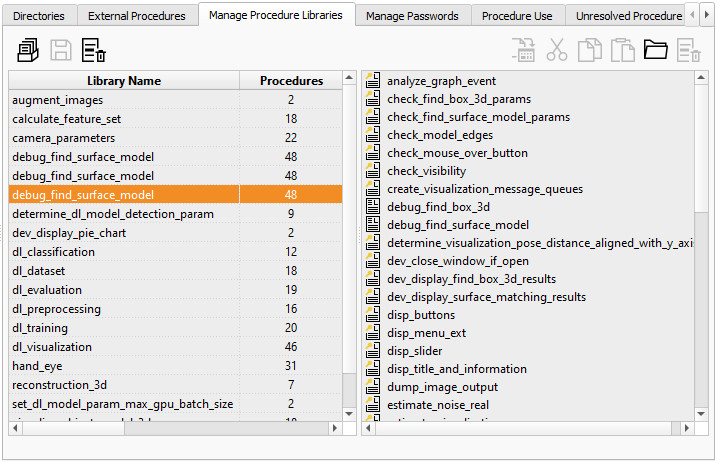
Figure 6.40: Procedures ▹ Manage Procedure Libraries.
Use this tab card to
The table on the left lists all libraries, the number of contained procedures, and the path name to the library file. The special entry “Procedures” contains all local procedures and all external procedures that are not contained in a library.
The following buttons are available:
For more information about procedures and their properties, see section “Procedure Types” and section “Protected Procedures”.
Drag-and-drop support: In practice, it is much easier to drag procedures from one location to another than using the corresponding buttons. A simple drag-and-drop moves the selected procedures from one place to another. To copy the selected procedures, start to drag, then hold down Ctrl, and drop at the destination (this is visualized by a + icon).
Create a new procedure library (or edit existing libraries)
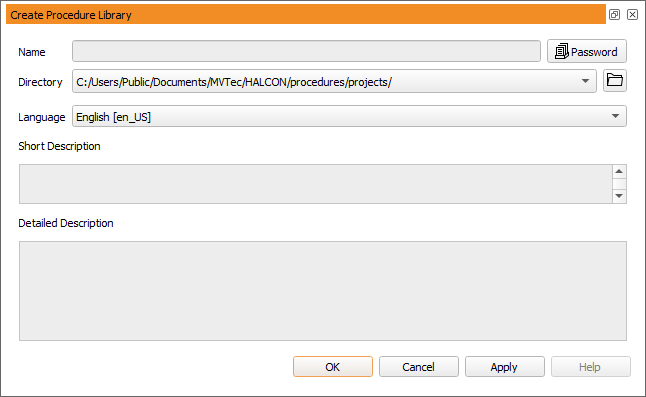
First, you have to specify the name of the new library and select a target directory. The configured directories can be selected from the drop-down list, or you can select an arbitrary directory using the “browse” button.
Click the Password button to protect the entire library with a password (see also section “Protecting a Procedure”).
The fields Short Description and Detailed Description allow you to describe the new library in multiple languages (select the desired language first, and then enter the description).