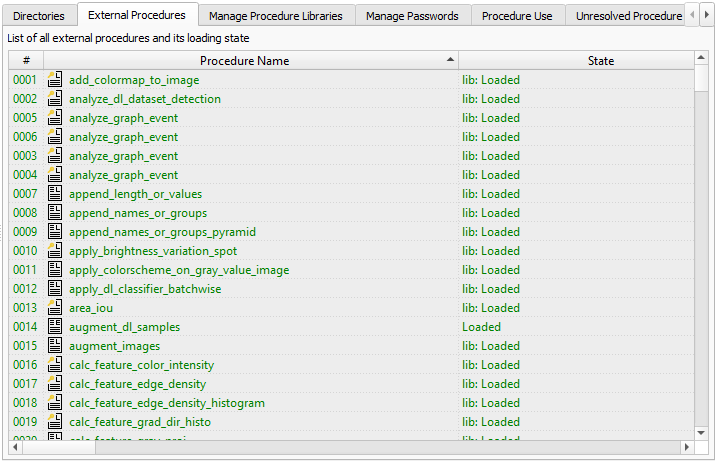
Figure 6.39: Procedures ▹ External Procedures.
This tab card lists all external procedures in the order they are loaded from the configured directories. For each procedure, the following information is displayed:
| Column | Meaning |
| # | Number of the external procedure. |
| Activated | The check box toggles the activation status of the corresponding procedure, that is, whether the procedure can be resolved. It can be used to temporarily disable procedures, for example, to make concealed procedures of the same name available. |
| Procedure Name | Name of the external procedure. |
| State | Loaded: The external procedure has been loaded successfully. It can be used in any HDevelop program. |
| Unloaded: An error occurred while trying to load the external procedure, for example, the file permissions are wrong or the external procedure file is corrupted. | |
| Search Directory | Directory name from the tab card Directories where this procedure is found. |
| Relative Path | Path name of the external procedure relative to the search directory. |
| Used by | Usage counter and the names of the callers of this procedure. |
| Modifications | The number of modifications to the external procedure after it has been loaded. |
Using the context menu, basic file system operations can be executed. You can copy, delete, or rename the selected procedure file in the file system.