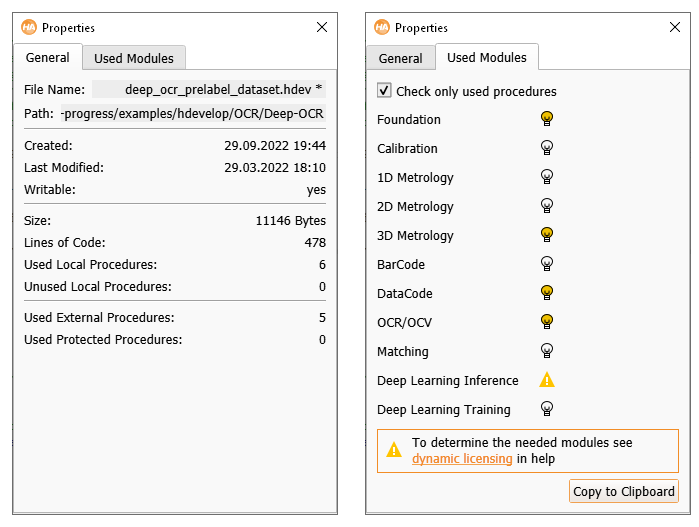
Figure 6.35: Properties: General (left), Used Modules (right).
The tab card General displays file properties of the current program, such as file name, path, creation and modification date, and write permission. It also shows the file size, the number of lines of code, used and unused local procedures, used external procedures and used protected procedures. This is displayed in figure 6.35.
The tab card Used Modules lists the HALCON modules used by the current program. Modules marked with are used. Modules marked with are potentially in use by dynamic licensing. This window allows you to get an estimate of how many modules your application will need in a runtime license. Please refer to the Installation Guide for more information about modules, runtime licenses, and dynamic licensing. See figure 6.35 for the corresponding dialog of a 3D object processing example.