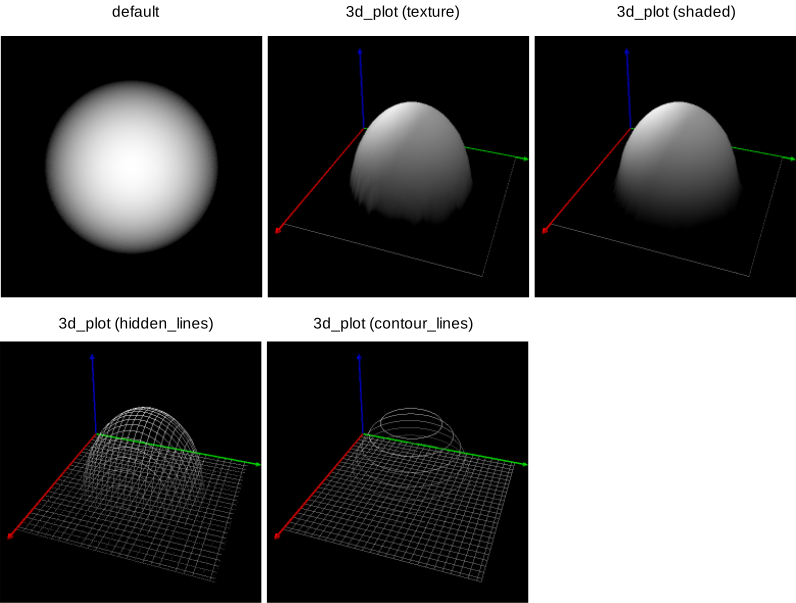
Figure 6.16: Comparison of the different paint settings.
Here, you can select between two graphical image presentations. In the default mode the image is displayed unmodified. In the 3d_plot mode, the gray values of the image are taken as height information: The greater the gray value, the higher the resulting image point. See figure 6.16 for an illustration of the different modes. Further information can be found at the description of the operators dev_set_paint and set_paint.