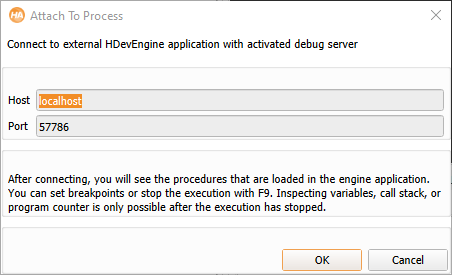
Figure 9.2: Attaching to an external application.
Please note that your firewall must be configured to allow connections on the specified port. The default port number is 57786, but this can be changed in the external application. If a debug session is already active on the given machine, you can choose to take over the existing session. This will terminate the previous session.
After connecting, large parts of the user interface of HDevelop are grayed out. This applies to the functionality related to the normal operation of HDevelop, such as procedures, operators, assistants, and preferences. The special debug mode is indicated in the window title and by the red background color of the status bar, see figure 9.3. The background color of the program window also changes to indicate the read-only nature of the remote debug mode. This color can be customized in the preferences in normal mode.
