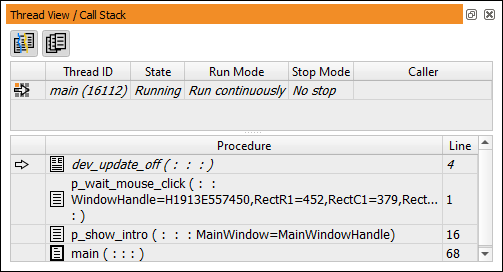
Figure 6.80: Thread View / Call Stack.
This window displays information about the current execution status of the program.
The Thread View in the upper half displays information about all the threads that have been started (see section “Inspecting Threads”).
The Call Stack in the lower half contains a list of the names of all procedures that are currently called on HDevelop's internal call stack. The top-most procedure call belongs to the most recently called procedure, the bottom-most procedure call always belongs to the main procedure. Clicking a procedure call in the dialog makes the selected procedure call the current procedure call and thus the procedure belonging to the selected procedure call the current procedure.
When you click a procedure call that belongs to a locked procedure (see section “Protected Procedures”), you can only see the procedure body if you enter the correct password into the program window.