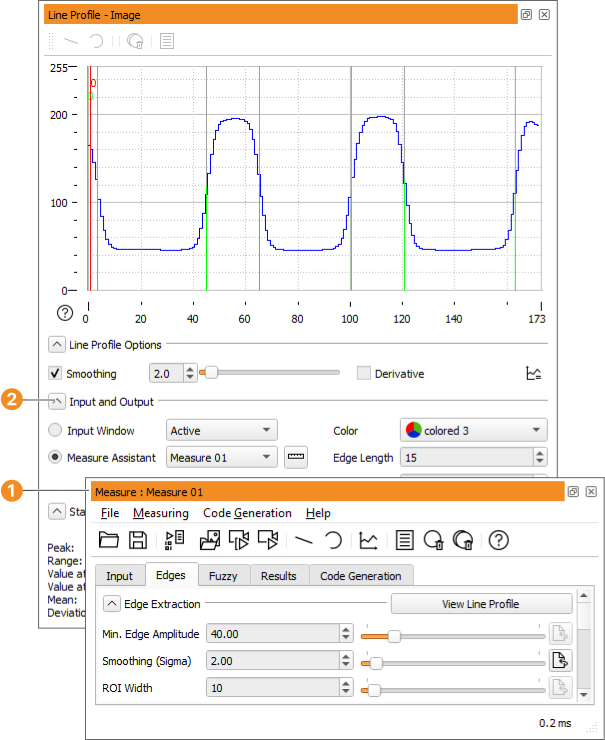
Figure 6.33: Line Profile dialog.
Smoothing: Display the profile smoothed. You can smooth the profile before displaying it by specifying a smoothing factor with the slider in the spinner box and by clicking the checkbox. If smoothing has been applied with the 测量助手, those values are automatically adopted. The smoothing can then be performed in the line profile window as well and likewise affects the Measure Assistant's smoothing (see figure 6.33).
Derivative: Display the derivation of the line profile.
Figure 6.33: Line Profile dialog.
Force minimum line profile width: Reduce the line profile visualization to a minimum width by using the button .