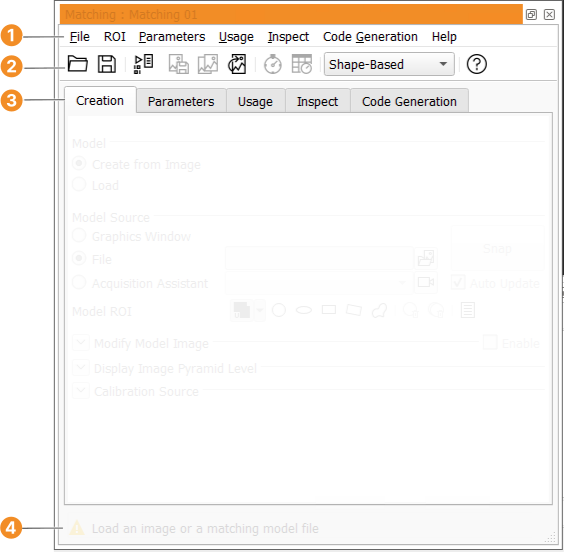
The Matching Assistant shown in figure 7.5
consists of the following elements:
- The following pull-down menus:
File,
ROI,
Parameters,
Usage,
Inspect,
Code Generation, and
Help
- A tool bar for direct
functionality access.
- The following tabs:
Creation,
Parameters,
Usage,
Inspect, and
Code Generation
- A status bar at the bottom in which messages are displayed.
The status bar also displays the matching results. The number
of found instances, the needed time, and for each found instance the position,
orientation, scale, and score.
Please note that the status bar does not provide a scrolling mechanism;
if the displayed message is too long, move the mouse over it, so that a tool
tip displaying the full message pops up.
Note, not all options and parameters are supported for every matching method.